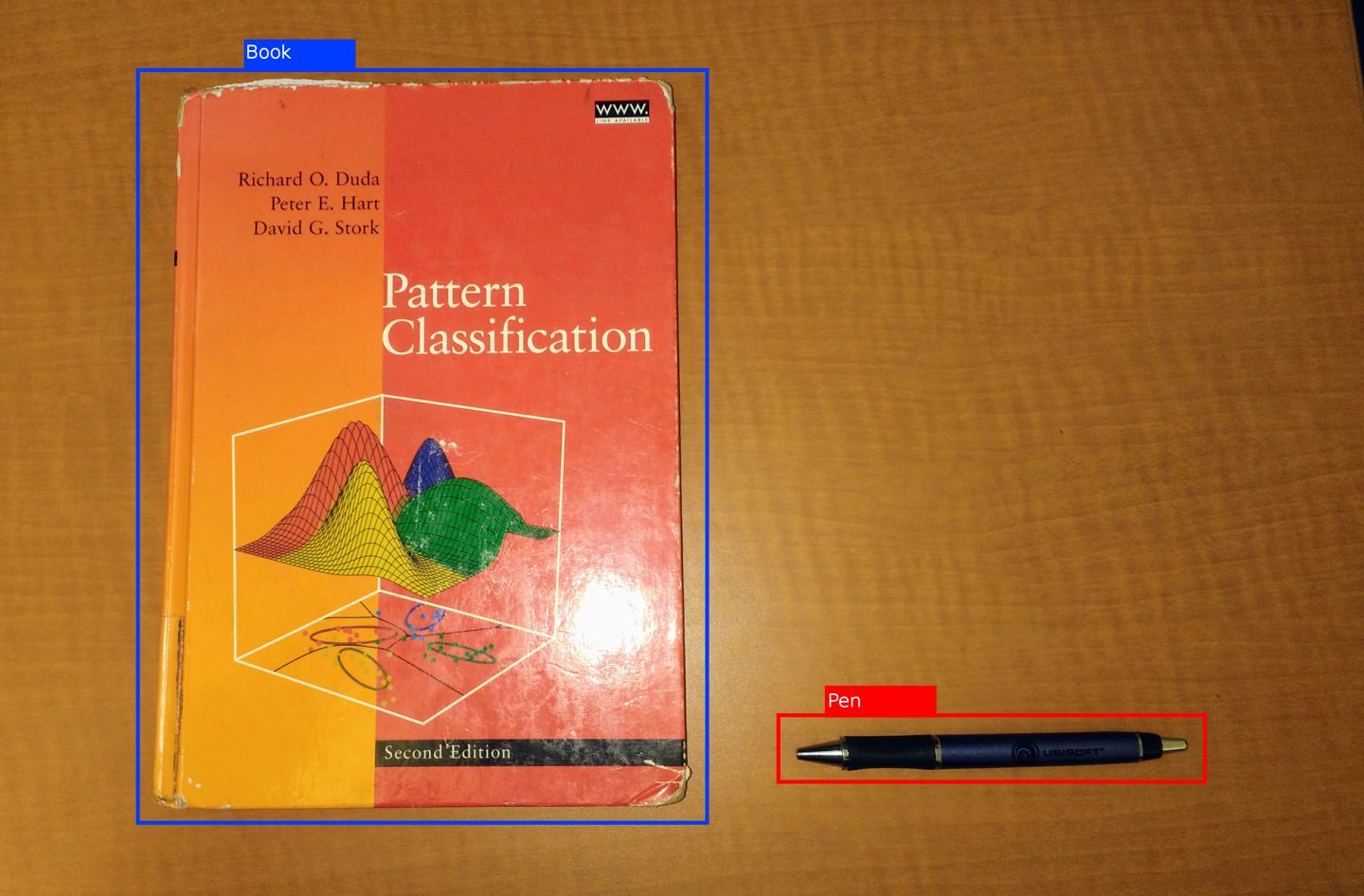
Computer vision is the field of artificial intelligence that teaches computers to extract useful information from images and video — to recognize what’s in a picture, find where it is, and track it over time. It’s the technology behind a phone unlocking at the sight of your face, a factory camera spotting a defective part, and a car noticing a pedestrian before a human driver would.
How a Computer Learns to ‘See’
A digital image is just a grid of numbers — each pixel a set of brightness and color values. Computer vision systems learn to turn that grid into meaning using convolutional neural networks (CNNs), a type of neural network built specifically to process spatial patterns like edges, textures, and shapes. Early layers of the network learn to spot simple features — an edge, a curve, a patch of color. Deeper layers combine those into more complex patterns — an eye, a wheel, a leaf — until the final layers can recognize a whole object.
The network learns this by example, not by being told explicit rules. Researchers feed it thousands or millions of labeled images — ’this is a cat,’ ’this is a stop sign’ — and it adjusts its internal parameters until it can correctly label images it has never seen before. This is a specific application of the broader discipline of machine learning: the same statistical, learn-from-examples approach used to build large language models, just applied to pixels instead of words.
The field’s modern era is usually dated to 2012, when a CNN called AlexNet dramatically outperformed every prior approach on ImageNet, a public benchmark of over a million labeled photos. That result showed deep neural networks, trained on GPUs, could beat decades of hand-engineered image-processing techniques — and it kicked off the deep learning boom that also produced today’s chatbots and image generators.
Classification, Detection, and Segmentation
‘Computer vision’ covers several distinct tasks, usually layered on top of each other:
- Image classification answers a single question: what is this a picture of? The output is a label — ‘dog,’ ‘X-ray showing a fracture,’ ‘defective weld.’
- Object detection goes further, drawing a box around each object it finds and labeling it — useful when an image contains several things at once, like a street scene with cars, cyclists, and pedestrians.
- Image segmentation is more precise still, classifying every individual pixel so the system knows the exact outline of an object, not just its rough location — essential when a robot arm or a surgical tool needs to know precisely where an object’s edge is.
Where It’s Already Working
Computer vision is one of the more quietly deployed corners of AI — it rarely makes headlines, but it runs constantly in the background:
- Manufacturing: cameras on production lines catch scratches, misalignments, and defective parts far faster and more consistently than a human inspector.
- Medicine: radiology tools flag suspicious regions in X-rays, CT scans, and MRIs for a doctor to review; regulators in the US alone have cleared well over a thousand AI-based medical imaging tools.
- Transportation: self-driving and driver-assist systems use it to detect lanes, road signs, pedestrians, and other vehicles in real time.
- Agriculture: cameras mounted on drones or tractors spot crop disease, count fruit, and guide precision spraying.
- Retail and security: it powers cashier-less checkout, shelf-stocking checks, and access control at doors and airports.
Computer Vision vs. AI Image Generation
The two are often confused because both work with pictures, but they do opposite jobs. Computer vision looks at an existing image and extracts information from it — recognition, not creation. AI image generation tools like Midjourney or DALL-E do the reverse: they start from a text description and produce a brand-new image. Some systems combine both — a generator that first ’looks’ at a reference photo, or a vision model used to check whether a generated image matches its prompt — but recognizing and generating remain distinct capabilities built with different techniques.
Try It Yourself
You don’t need to write code to see computer vision working. Google’s free, browser-based Teachable Machine lets anyone train a simple image classifier in minutes: show it a few dozen example photos in each category — say, three types of houseplants — and it builds a working model you can test with your webcam, entirely in the browser and without an account.